
SpoofCard - Privacy Protection
SpoofCardCommunication
4.01.17K Reviews
- Version
- 7.1.3
- Installs
- 500.00K
- Age Rating
- Everyone
Screenshots
Our Review of SpoofCard - Privacy Protection
 Analysis by Appyee
I’d start by separating two very different needs: keeping my personal number private, and making a call appear to come from someone else. Those are not the same thing, and the distinction matters. SpoofCard is a communication app from SpoofCard that offers calling and texting with another number, along with tools such as voice effects and call recording. I’d consider it for a legitimate privacy boundary—like handling an unfamiliar inquiry—rather than for impersonating a person or organization. The useful question is whether its workflow fits your situation and whether you’re comfortable with the limits that come with it.
Start with the situation, not the number
Imagine I’m selling a used item online. A prospective buyer wants to call, but I don’t want my everyday number circulating after the sale or appearing in someone’s contact list. An app designed to separate that conversation from my usual contact details may help create that boundary. The same logic can apply to a short-term project or a conversation where I want to avoid immediately sharing my personal number.
That separation is not a promise of invisibility. A different displayed number can reduce what the other person sees, but it does not make a conversation consequence-free or suitable for every purpose. I’d use a tool like this only when the other person has a legitimate reason to communicate with me, and I’d be clear about who I am when the context calls for it. Privacy is a practical boundary, not a license to mislead.
SpoofCard is free to install, has an Everyone content rating, and is listed with an average rating of 4.3 from around 3.8 thousand ratings. That gives a new user a sense of how widely it has been tried, though ratings can’t tell you whether its approach is right for your particular call. It has over 500 thousand installs, and its current version is 5.8.4. The release date is January 28, 2020, and the app requires Android 8.0 or later.
Getting Started with SpoofCard
First things first, installing SpoofCard is a breeze. Available for both Android and iOS, you just download it from the app store, create an account, and you’re good to go. The interface is user-friendly, even for those who aren’t tech-savvy. It walks you through the setup process, and before you know it, you’re ready to start spoofing.
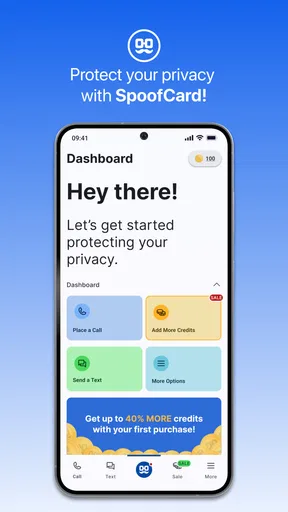
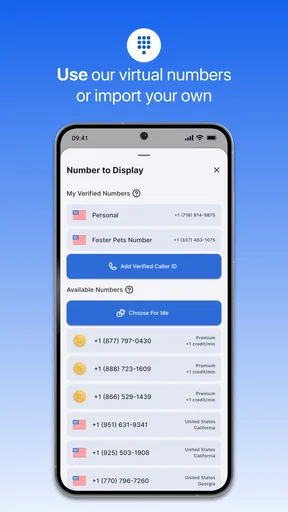
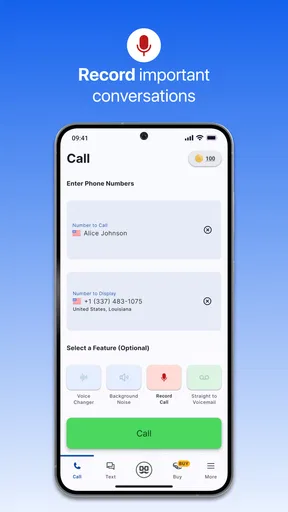
Once you open the app, you’ll see a clean, intuitive layout. The main screen gives you quick access to call and text options. You can easily select a temporary number to display when you make calls or send messages. I found it pretty straightforward, and I appreciated how everything was laid out clearly.
Features Worth Noting
One of the standout features of SpoofCard is its privacy protection. Not only can you conceal your real number, but you can also record calls, change your voice, and send texts anonymously. These features are perfect for those who value discretion.
- Voice Changing: This is a fun addition. You can tweak your voice with various effects, adding an extra layer of anonymity.
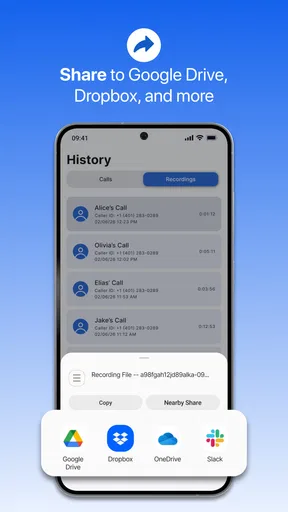
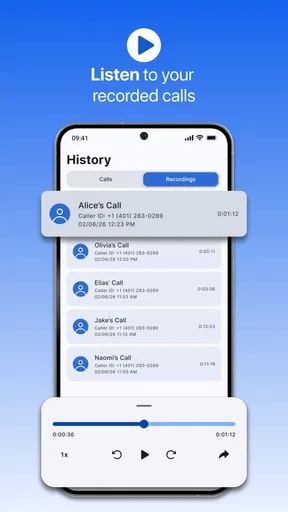
- Call Recording: Need to keep a record of your calls? SpoofCard has you covered. With a simple tap, you can record your conversations, which can be handy for various reasons.
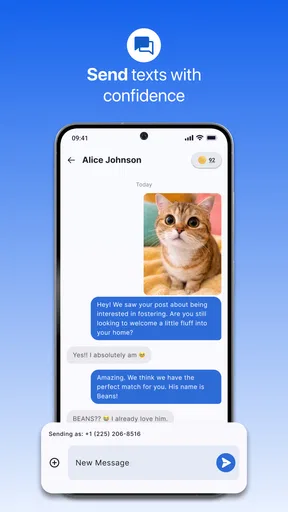
- Anonymous Texting: Send texts without revealing your real number. This feature is great for those times when you just need to send a quick message without sharing your personal info.
I gave these features a try, and they worked seamlessly. The voice changer was particularly amusing, and recording calls was a straightforward process.
Security and Privacy
In today’s digital world, security is paramount, and SpoofCard takes this seriously. All calls and texts made through the app are secure and encrypted, ensuring that your information remains private. Knowing that my data was protected gave me peace of mind while using the app.
Pricing and Plans
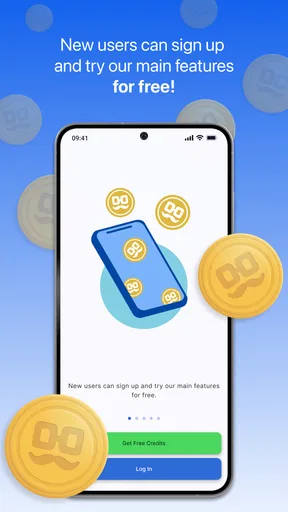
SpoofCard offers a range of pricing plans, catering to different needs. Whether you’re a casual user or someone who needs to make frequent anonymous calls, there’s an option for you. I found the pricing reasonable, especially considering the array of features offered. Plus, they provide a free trial, so you can test the waters before committing to a paid plan.
For budgeting, keep in mind that the app includes in-app purchases, with items ranging from $4.99 to $99.99. I’d check the purchase screen carefully before relying on a particular amount of use; a free install does not mean every call, text, or feature is necessarily free. That distinction is easy to miss when you are setting up in a hurry. If you only need a one-off contact, first work out what you actually need to do, then decide whether a purchase makes sense rather than buying on the assumption that the app is an unlimited replacement for your normal phone service.
Make the handoff deliberate
A privacy call often involves more than the person holding the phone. There may be a buyer, a colleague, a source, or someone who needs to call back later. Before sending a message, I’d make sure the recipient knows what number to use for the reply and why the conversation is happening there. If you switch between your everyday number and a separate calling workflow without explaining it, the other person may mistake the message for spam or ignore a return call.
For an online sale, I would keep the exchange focused: arrange a time, answer the relevant question, and move toward a safe handoff for the item. I would not treat an alternate number as a substitute for sensible meeting arrangements or a way to establish trust. For work, I’d also consider whether the people who need to reach me can continue doing so after the immediate task ends. A private contact route is useful only if it doesn’t create confusion about the next step.
Call recording deserves its own pause in that workflow. A recording can help me remember a detailed conversation, but it can also change the other person’s expectations and may be subject to rules that depend on where the participants are. I would check the applicable requirements and get consent when appropriate before recording. A feature being available in an app does not automatically make every use of it suitable.
Where this approach fits—and where it doesn’t
Compared with an ordinary call from my mobile number, an alternate-number app is most useful when the central task is to keep that personal number out of a specific interaction. Compared with a second SIM or a dedicated work line, it may be more convenient for someone who wants an app-based option rather than another physical line to manage. But a separate number that I control long term can be a better fit for ongoing business, dependable callbacks, or a team that needs a stable point of contact.
For casual conversations with people I already trust, I would simply use my normal calling and messaging apps. They are already part of my routine, and adding another service brings little value when number privacy is not the issue. If my priority is only to avoid sharing a number in a marketplace chat, staying within that marketplace’s own messaging system may be a cleaner first step. SpoofCard makes more sense when a call or text is genuinely needed and I want an additional layer between that interaction and my usual number.
I’d also skip it if the goal is to deceive someone about my identity, evade accountability, or make a contact believe they are speaking to a different person. The same capability that can create a useful privacy boundary can undermine trust when used carelessly. People who need an official, permanent business identity, emergency contact reliability, or a straightforward shared team line should look at options built around those needs instead.
Real-World Applications
Now, you might be wondering, "When would I actually use this app?" Well, there are plenty of scenarios where SpoofCard proves useful. Whether you’re a business professional needing to make calls without revealing your personal number, or maybe you’re selling something online and want to keep your identity hidden, this app serves a purpose. It’s also useful for journalists or anyone who needs to protect their privacy when communicating with sources.
In those situations, I’d plan the conversation before opening the app. For a sale, I’d decide what information I need from the buyer and what details I’m willing to share, then keep the exchange limited to that purpose. For a professional call, I’d tell the other person how to reach me again if follow-up matters. For source communication, I’d think beyond the displayed number: the content of a message, timing, and the details discussed can identify someone even when a personal number is not shown. A different calling route is one privacy measure, not a complete safety plan.
That is also why the app is not a universal answer for journalists or sensitive work. If the stakes are high, I would use communication practices chosen for that specific risk rather than assume that number concealment alone protects a source. For routine, low-risk contact, the convenience may be enough; for confidential reporting or vulnerable people, the whole channel and the surrounding habits deserve careful thought.
What to check before relying on it
Before making an important call, I’d test the basic flow with a low-stakes conversation: open the app, find the call or text action, check the number being presented, and make sure I understand how the reply will reach me. I’d also confirm what the purchase screen says for the action I intend to take. That small rehearsal is more useful than discovering a billing or callback surprise while a time-sensitive conversation is underway.
People often ask whether this can replace a regular phone line. I would not treat it as a full substitute without first confirming that its available calling and texting options meet their needs. Someone who depends on one stable number for family, clients, or account recovery is better served by keeping that established channel and using a privacy app only for selected interactions. A separate route can be an addition, not necessarily a new home for every conversation.
Another practical question is whether the recipient can respond. Since the app supports calls and texts, I’d plan the reply path explicitly instead of assuming that every recipient will recognize or save an unfamiliar number. If a return call matters, tell them which number to use and when you’ll be available. If they need a long-term contact, give them a stable method rather than leaving them to guess which number is still active.
Finally, I’d treat the voice effects as optional rather than a default setting. They may be entertaining or useful in a narrow situation, but they can make a normal professional exchange feel less credible. For privacy, avoiding unnecessary disclosure of your personal number is usually a clearer goal than trying to sound like someone else. Using only the feature that solves the actual problem keeps the interaction simpler for both sides.
Final Thoughts
After spending some time with SpoofCard, I can confidently say it delivers on its promises. The ease of use, combined with robust features, makes it a valuable tool for anyone needing to protect their privacy. The ability to call and text anonymously, along with the added perks like voice changing and call recording, sets it apart from other apps.
That said, my recommendation is conditional: it suits people who have a specific, legitimate reason to separate a conversation from their everyday number and who are willing to manage the extra handoff carefully. It is less compelling for someone who wants one dependable number for all work and personal contact, or who rarely needs this kind of separation. The app is free to download, but its in-app purchases mean I would check the cost of the intended use before depending on it.
So, if you’re in the market for an app that offers privacy and security, SpoofCard is worth checking out. It may not be something you use every day, but when the need arises, you’ll be glad to have it at your fingertips.
Verdict
Strengths of SpoofCard - Privacy Protection
- Easy to use interface for quick access.
- Provides reliable call and text masking.
- Customizable caller ID options available.
- Supports international calling features.
- No ads, ensuring a clean user experience.
Limitations of SpoofCard - Privacy Protection
- Limited free trial features available.
- Subscription required for full functionality.
- Some features require stable internet.
- Occasional delays in call connection.
- No video call masking option available.
Similar Picks in This Category
View All
Google Messages
Google LLC4.6

Gmail
Google LLC4.1

Google Meet
Google LLC4.4

Google Chrome
Google LLC4.1

WhatsApp Messenger
WhatsApp LLC4.6

Carrier Services
Google LLC4.2
Frequently Asked Questions
What is SpoofCard and how does it work?
SpoofCard is an app designed to protect your privacy by allowing you to make calls and send texts without revealing your actual phone number. It works by providing you with a virtual number that masks your real one, ensuring your personal information remains confidential. This is particularly useful for business calls or any situation where you want to maintain privacy.
Is SpoofCard legal to use?
Yes, SpoofCard is legal to use as long as it is not employed for malicious or illegal activities. The app is designed to protect user privacy, and it is important to adhere to legal guidelines and use the service responsibly. Always ensure your use complies with local laws and regulations regarding telecommunications.
Does SpoofCard support international calls and texts?
Yes, SpoofCard supports international calls and texts, making it a versatile tool for users who need to communicate globally while maintaining privacy. However, charges for international services may vary, so it's advisable to check the app’s pricing details for specific countries before making or receiving international connections.
How secure is my information with SpoofCard?
SpoofCard prioritizes user privacy and security by implementing robust encryption measures to protect your data. The app does not store personal call or text history, ensuring that your information remains confidential. For added security, always keep your app updated to benefit from the latest security enhancements.
What are the costs associated with using SpoofCard?
SpoofCard offers different pricing plans based on usage needs, including pay-as-you-go options and subscription models. While the app itself is free to download, you will need to purchase credits or a plan to use its services. It’s best to review the pricing section in the app for detailed information on costs and available packages.
